1
Shuttle Timeout
In order to retain print quality with this type of form, set the position of the first
and last print lines to avoid printing where paper thickness occurs (before and
after the perforation). See Forms Length and Perforation Skip for more
information.
NOTE: When enabling this parameter, you must set the forms length to
match the physical distance between perforations.
Shuttle Timeout
The SHUTTLE TIMEOUT parameter determines the amount of time the
shuttle will continue running after printing stops. This allows the shuttle to
continue moving during the time between print jobs when the print jobs arrive
at frequent intervals. Time is saved if the shuttle is still moving when a print
job arrives at the printer, since the printer does not have to wait for the shuttle
to reach its operating speed.
Energy Saver Timer
This parameter helps to reduce power consumption when the printer is not in
use in order to reduce air pollution caused by power generation. Use of this
feature can cut energy use by more than 50 percent.
ENERGY SAVER TIMER determines the amount of time that expires before
the printer reduces power after printing stops. The energy saver mode can
select an energy saver activation time. The selections are 15 through 60
Minutes. The default time is 15 minutes.
NOTE: If the printer enters energy saver mode while NOT READY, the
printer will not print any jobs until made READY by pressing the Start
key.
Eject/Restore
The EJECT/RESTORE parameter controls how the printer behaves when you
press the Eject/Restore key. The following options are available:
•
•
STANDARD (the default)
TOP EXIT TEAR (pedestal models only)
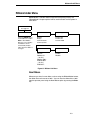
When STANDARD mode is selected, the Eject/Restore key operates as
follows:
•
Pressing Eject/Restore causes the paper to advance a preset distance of
22 inches.
•
Pressing Ready or pressing Eject/Restore a second time causes the
paper to return to its original position.
NOTE: If you are using this function to tear off forms, you might want to press
Form Feed before using the Eject/Restore function. This will avoid
unloading the paper as it is restored to its original position.
99