1
Table of Contents
1
About the E-Plex Enterprise.................................................................................................... 1-1
System Components .............................................................................................................................. 1-3
E-Plex “Enterprise” Locks .................................................................................................................. 1-3
PINs, Tokens and Token/Card Enrollers ............................................................................................ 1-4
E-Plex Enterprise Software (Server and Client modules) ................................................................... 1-6
Portable PC M-Unit (Netbook/Laptop) and PC M-Unit Software ........................................................ 1-6
System Definitions .............................................................................................................................. 1-6
Host PC System Operator Classifications .......................................................................................... 1-7
Door Groups & Doors.......................................................................................................................... 1-7
Access Schedules ............................................................................................................................... 1-8
Holiday/Vacations ............................................................................................................................... 1-9
Access Groups .................................................................................................................................... 1-9
Lock User Personnel Classifications – Departments & Users ............................................................ 1-9
The E-Plex Enterprise Software Packages .......................................................................................... 1-10
2
Getting Started ....................................................................................................................... 2-11
E-Plex Enterprise System Requirements ............................................................................................. 2-12
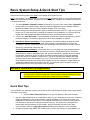
Basic System Setup & Quick Start Tips ............................................................................................... 2-13
[Software Installation & Registration – described in Appendix] .................................................. 2-13
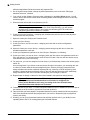
Quick Start Tips .................................................................................................................................... 2-13
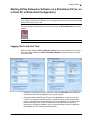
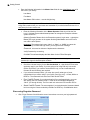
Starting the E-Plex Enterprise Software on a Standalone PC ............................................................. 2-15
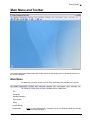
Main Menu and Toolbar ....................................................................................................................... 2-17
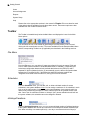
Main Menu ........................................................................................................................................ 2-17
Toolbar .............................................................................................................................................. 2-18
3
Using the E-Plex Enterprise Software .................................................................................... 3-1
System Setup Menu ............................................................................................................................... 3-2
Changing Systems Settings ................................................................................................................ 3-2
Managing Operators (Add/Modify/Delete) .......................................................................................... 3-4
Database Management (Backup/Restore).......................................................................................... 3-8
Managing Schedules ............................................................................................................................ 3-11
Adding a Schedule ............................................................................................................................ 3-12
Editing a Schedule ............................................................................................................................ 3-13
Deleting a Schedule .......................................................................................................................... 3-14
Managing Holidays/Vacations .............................................................................................................. 3-16
Adding a Holiday/Vacation ................................................................................................................ 3-17
Editing a Holiday/Vacation ................................................................................................................ 3-18
Deleting a Holiday/Vacation .............................................................................................................. 3-20
Managing Door Groups ........................................................................................................................ 3-21
Adding a Door Group ........................................................................................................................ 3-21
Editing a Door Group ........................................................................................................................ 3-25
Managing Door Group Managers ..................................................................................................... 3-26
Deleting a Door Group ...................................................................................................................... 3-26
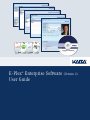
E-Plex Enterprise System Software User Guide