1
Overview
Stellar Phoenix Database Repair for MySQL is designed to repair data from damaged or corrupt
MySQL database. Using strong algorithm, the software does a complete scan of the corrupt MySQL
database and efficiently repairs almost every bit of information without deleting or modifying original data.
Even heavily damaged database can be optimally repaired and restored with this software.
Stellar Phoenix Database Repair for MySQL gives two options to select damaged or corrupt MySQL
database- automatic and manual.
In automatic selection option, the software automatically selects database(s) from the default installation
location of MySQL if MySQL is installed with default configuration.
In manual selection option, user can select database(s) from different locations. User can browse to
locate the desired database(s). However, user should provide a root folder that contains at least one
database and ibdata file for corresponding database. User can search ibdata file from different location,
however, it should correspond to the selected database. If corresponding ibdata file is unavailable for a
database then it cannot be repaired.
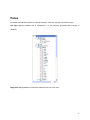
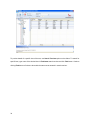
After scanning, Stellar Phoenix Database Repair for MySQL provides preview of database in a tree
structure. User can view the components of selected database and can repair desired components.
The software also shows details of ongoing process in a Message log pane. These details can be saved
in a text file.
Key features:
•
New and enhanced GUI.
•
Find option to search items of database in the tree generated after scanning process in preview
window.
2
•
Repairs database created using database storage engines of MySQL-MyISAM & Innodb.
•
Repairs MySQL database installed on Linux platform.
•
Repairs primary key(s), relations and tables.
•
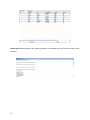
Shows preview of Properties of tables.
•
Repairs Properties of tables.