1
Table of contents
1
Brief Introduction................................................................................................................... 5
Use the manual.............................................................................................................. 6
Main parts................................................................................................................... 7
Control Panel.............................................................................................................. 9
Safety notice............................................................................................................. 10
Hold notice ............................................................................................................... 13
2
How to...(Basic operation theme)........................................................................................ 15
Contact to computer ................................................................................................. 15
Turn on/off Power ................................................................................................... 16
3
How to install media............................................................................................................ 17
Put the media coil in printer ...................................................................................... 18
Media holder use...................................................................................................... 19
4
How to...(Ink theme)............................................................................................................ 20
Change ink barrel ..................................................................................................... 20
Identification of original ink manufacturer ................................................................. 20
Change height of printhead ...................................................................................... 21
5
How to...(Installation theme) ............................................................................................. 22
Install printhead ........................................................................................................ 23
Install printhead cable .............................................................................................. 24
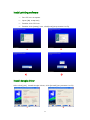
Install printing software............................................................................................. 25
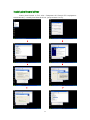
Install dongle driver .................................................................................................. 25
3