1
welcome
Today, Seagate® makes powerful, dependable, fast and easy-to-use
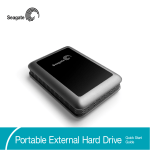
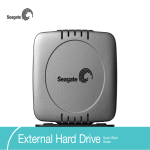
storage technology available to you! Your new Seagate external hard
drive is a state-of-the-art unit: solid, safe, quiet and cool, versatile and
portable, ready to go from one location to another, an ideal backup
device for multiple systems, or just your safe and dependable place to
keep your important files.
Your Seagate disc drive includes award-winning BounceBack Express
backup software for both Windows and Mac operating systems. See
below for details.
Cautions
If your drive is turned on, don’t move it.
You can safely move your drive only when the power LED is off. If the
power LED is lit when you move your drive, you risk excessive wear,
reduced reliability and possible data loss.
Use only one interface at a time.
If you connect both the USB and the IEEE 1394a cables to the same
drive at the same time, you could damage the drive. However, it is OK to
connect two IEEE 1394a/FireWire cables to the same drive at the same
time to daisy-chain devices.
2 External Hard Drive
set up
Requirements
Setup
Windows XP, Me, 2000, or 98SE operating system with:
1. Plug the AC power adapter into the hard drive and the wall outlet.
• a USB connector
or
• a Windows-certified, OHCI-compliant IEEE 1394a connector
(also known as FireWire or iLink)
2. Turn on the power to the drive and to your computer.
Microsoft maintains a list of Windows-certified 1394 controller suppliers
at http://www.microsoft.com/windows/catalog/. Click the Hardware tab,
and then select Other Hardware > 1394 Controller for the complete list.
Macintosh System 9 or OS X
(including Mac OS X Jaguar and Panther) with:
• a USB connector
or
• an OHCI-compliant FireWire connector
(also known as IEEE 1394a or iLink)
4. Use the proper cable to connect the drive to your computer. USB and
IEEE 1394a connectors have unique shapes, and each connector is
shaped to allow only one way to connect.
3. Refer to the table below to select the fastest interface supported by
your computer.
Interface
Transfer rate
USB 1.1
12 Mb/s
USB 2.0
480 Mb/s
IEEE 1394a
400 Mb/s
Note: Macintosh systems must use the FireWire (1394a) interface to
take advantage of the pushbutton backup feature.
USB
1394/
FireWire
Caution: Use only one interface at a time. If you connect both the USB
and the IEEE 1394a cables to the same external drive at the same time,
you could damage the drive. However, it is OK to connect two IEEE
1394a/FireWire cables to the same drive at the same time to
daisy-chain devices.
5. See the following Macintosh or Windows sections to determine how to
use your new Seagate disc drive with your operating system (OS).
USB2.0FireWirePCMac 3