1
MachStdMill README
Table of Contents 1
2
3
Introduction ................................................................................................................................4
MachStdMill Licensing..............................................................................................................5
Installing MachStdMill ..............................................................................................................6
3.1
Update Mach ......................................................................................................................6
3.2
Installing MachStdMill ......................................................................................................6
3.2.1
Turn off anti-virus programs......................................................................................6
3.2.2
Start the install ...........................................................................................................7
3.2.3
Review License Terms...............................................................................................8
3.2.4
Pre-Install Information ...............................................................................................8
3.2.5
Install Location ..........................................................................................................9
3.2.6
Select Components...................................................................................................10
3.2.6.1 Real Draw Base Components Source Files..........................................................10
3.2.7
MachStdMill Folder Name ......................................................................................11
3.2.8
Install the MachStdMill Package .............................................................................11
3.2.9
Post-install Information............................................................................................12
3.2.10
Completing the Install ..............................................................................................13
3.2.11
Making a New Profile for use with MachStdMill....................................................13
3.2.11.1
Example: Cloning an existing hardware profile to run MachStdMill..............14
3.2.11.1.1 Initial Loading of MachStdMill ...................................................................16
3.2.11.2
Example: Making an MSM Profile from the MachStdMill master profile......17
3.2.11.2.1 Add your Hardware Configuration to the MyMachStdMill Profile.............18
3.3
Post Installer Configuration .............................................................................................19
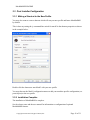
3.3.1
Making a Shortcut to the New Profile......................................................................19
3.3.2
Installation Complete ...............................................................................................19
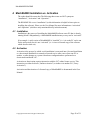
4
MachStdMill Installation vs. Activation ..................................................................................20
4.1
Installation........................................................................................................................20
4.2
Activation.........................................................................................................................20
5
MachStdMill Support and Feedback........................................................................................21
Copyright © 2010-2015 Calypso Ventures, Inc.
Page 2 of 21