1
<Toc> <Ind>
<3. Using LL100 >
3-6
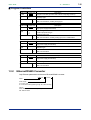
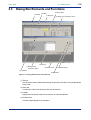
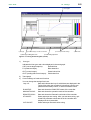
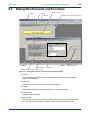
5) Menu button
Command buttons placed in a parameter menu dialog box. These buttons open their
corresponding parameter setting dialog boxes when clicked, and the color of the
button changes.
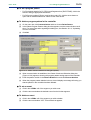
6) Dialog box for parameter menu
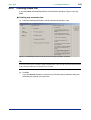
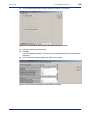
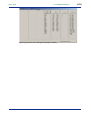
There are two menu dialog boxes: one for setup parameters and the other for operating parameters. (The figure 3.3.1 shows the menu dialog box for operating parameters.)
7) Dialog box for parameter setting
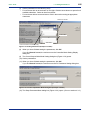
You can set parameters via a dialog box. When you select the text box for a parameter in a parameter setting dialog box, a description, range of setting, and initial value
of the parameter are shown for guidance.
8) Text box
A text box is a cell in a parameter setting dialog box, in which a parameter value is
entered and set. Clicking in a text box of a parameter that cannot be set (a bar “-” is
displayed in such text boxes) does not produce any effect.
9) OK button
Clicking this button will update the parameters shown in the parameter setting table
and close the parameter setting dialog box.
10) Cancel button
Clicking this button will discard the changes made and close the parameter setting
dialog box. This operation will not update the parameter settings.
11) Guidance
The parameter name, range of setting, and initial value of parameter are shown for
guidance.
When range of setting and initial value make a difference, according to model code
and the other setting parameter value, see also the controller’s user’s Manual for
GREEN Series.
3.4
Menu Commands
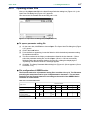
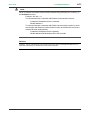
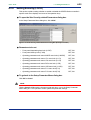
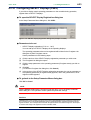
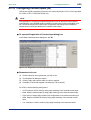
In the parameters setting tool, you can use the menu commands when the Setup Parameter Menu, Operating Parameter Menu or Program Pattern Menu dialog box is displayed.
Most of the menu names and commands provided for the program pattern setting tool are
the same.
● Using menu commands
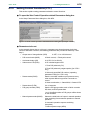
(1) Click a name on the menu bar.
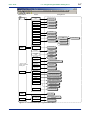
(2) The corresponding menu (see Figure 3.4.1) appears; select the command you wish to
carry out.
IM 05G01B12-01E
5th Edition : 2005.03.25-00