1
Contents
Chapter1
Introduction........................................................................................................................ 4
1.1 About this Manual....................................................................................................... 4
1.2 Customer Support....................................................................................................... 4
Chapter2
Product Overview................................................................................................................ 5
2.1 Package Contents....................................................................................................... 5
2.2 Product CD................................................................................................................. 5
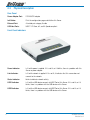
2.3 Physical Description.................................................................................................... 6
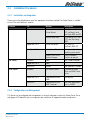
2.4 Installation Procedures . ............................................................................................. 7
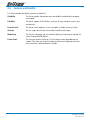
2.5 Features and Benefits ................................................................................................ 8
Chapter3
Basic Installation................................................................................................................. 9
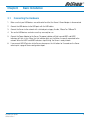
3.1 Connecting the Hardware ........................................................................................... 9
3.2 Assigning an IP Address to the Server . ..................................................................... 10
Chapter4
Installing the Print Server in Windows . .............................................................................. 15
4.1 Overview of Installation Methods ............................................................................. 15
4.2 Connecting the Server ............................................................................................. 16
4.3 Setting up Local Windows Printer Driver..................................................................... 17
4.4 Adding Network Printers in Windows . ....................................................................... 18
Chapter5 Installing the Print Server in Unix/Linux............................................................................... 28
5.1 Configuring Host File . .............................................................................................. 28
5.2 Printing by LPD/LPR.................................................................................................. 28
5.3 Using the Server on BSD UNIX/Linux.......................................................................... 29
5.4 Using the Server on RedHat Linux (Fedora Core) ....................................................... 30
Chapter6
Connecting a File Server.................................................................................................... 35
6.1 Preliminary............................................................................................................... 35
6.2 Storage Names......................................................................................................... 35
6.3 Connecting USB Mass Storage to the Server.............................................................. 35
6.4 Supported Codepages............................................................................................... 36
6.5 Adding Your USB Mass Storages to Network with Security........................................... 38
Chapter7
Connecting a Scanner....................................................................................................... 43
7.1 Connecting HP All-In-One to the Server...................................................................... 43
7.2 Using the Shared Scanner in Windows....................................................................... 43
7.3 Using the Shared Scanner in Linux............................................................................. 46
Chapter8
The Control Center . ......................................................................................................... 47
8.1 Installing Control Center ........................................................................................... 47
8.2 Using the Control Center........................................................................................... 47
8.3 Quitting the Control Center........................................................................................ 54
NP3680 User Guide
YML838 Rev 2