1
Programming the Scanner
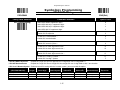
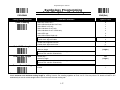
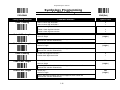
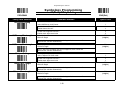
Bar Code Programming Menu
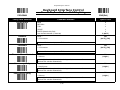
System Command
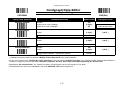
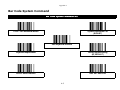
The System Command is the highest level bar code command
that directs the scanner to perform immediate operations,
such as entering programming mode (PROGRAM), exiting
programming mode (EXIT), listing system information
(SYSLIST), recovering to factory preset configurations
(M_DEFAULT), and so on. Please note that all system
commands will take a few seconds to complete the operations.
The user must wait for the completion beeps before scanning
another bar code.
The bar code commands are specially designed Proprietary
bar code labels that allow you to set the scanner’s internal
programming parameters. There are System Command,
Family Code and Option Code for programming purpose.
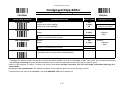
Each programmable family and bar code command label is
listed on the same page with major system commands. The
detailed explanations and special programming flowchart are
printed on facing or following pages. You can read the
explanation and set the scanner concurrently.
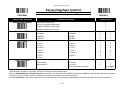
Family Code
The Family Code is scanned to select the user desired
programming family. More than one hundred programming
families have been provided to meet any specific
requirements.
A supplemental bar code command menu incorporates the
bar code command labels of System Command and Option
Code. As you set the scanner, open the bar code command
menu to find the option code page. You may scan the desired
family code and option code to set scanner. If you want to
change the programming family for multiple settings, you
need only turn over the programming page to the find next
desired programming family.
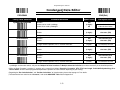
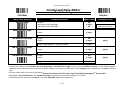
Option Code
The Option Codes is a set of bar code commands represented
by “0–9,” “A–F,” and finishing selection (FIN). For most
settings, you must select at least one option code following
the family code selection to set the desired parameter for the
selected programming family.
3-5