1
Vectorization
PHOTOMOD 6.0.2
Table of Contents
1. Purpose of the document .......................................................................................................... 6
2. About vectorisation ................................................................................................................... 6
2.1. Main conventions and terms ........................................................................................... 6
2.2. Stereovectorization ........................................................................................................ 7
3. Preparing to stereovectorization ................................................................................................ 7
3.1. Stereo image settings .................................................................................................... 7
3.2. Stereo modes ................................................................................................................ 8
3.2.1. Anaglyph mode ................................................................................................... 8
3.2.2. Page-flipping mode ............................................................................................. 8
3.2.3. Polarization mode ............................................................................................... 8
3.2.4. Pseudo-stereo mode ........................................................................................... 9
3.3. Stereopair selection ..................................................................................................... 11
3.3.1. Pass to adjacent stereopair ................................................................................ 11
3.3.2. Pass to chosen stereopair ................................................................................. 12
3.3.3. Automatic stereopair selection ........................................................................... 15
3.4. The marker management ............................................................................................. 15
3.4.1. The “Marker” window ......................................................................................... 15
3.4.2. Marker modes ................................................................................................... 17
3.4.3. Snap-to-ground mode ....................................................................................... 18
3.4.4. Streamline mode ............................................................................................... 18
3.4.5. Fixation of Z ...................................................................................................... 19
3.4.6. Snapping types ................................................................................................. 19
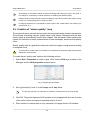
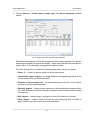
3.5. Creation of “stereo quality” map ................................................................................... 20
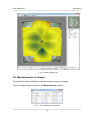
3.6. Measurements on images ............................................................................................ 24
4. Vector layer creation ............................................................................................................... 26
5. Vector objects ......................................................................................................................... 27
5.1. The “Vectors” toolbar .................................................................................................... 27
5.2. Types of vector objects ................................................................................................. 28
5.3. Creation of vector objects ............................................................................................. 28
5.3.1. Points creation .................................................................................................. 28
5.3.2. Polylines creation .............................................................................................. 29
5.3.3. Polygons creation ............................................................................................. 29
5.3.4. Creation of orthogonal objects ........................................................................... 29
5.3.5. CAD-objects creation ........................................................................................ 30
5.3.6. Roofs creation .................................................................................................. 32
5.3.7. Vector object properties ..................................................................................... 34
5.4. Vector objects loading .................................................................................................. 35
5.5. Vector objects saving ................................................................................................... 38
5.6. Displaying objects list ................................................................................................... 38
6. Classifier ................................................................................................................................ 39
6.1. The “Classifier” window ................................................................................................ 39
6.2. Classifier creation ........................................................................................................ 42
6.3. Classifier editing .......................................................................................................... 44
6.4. Classifier import ........................................................................................................... 46
6.5. Labels creation ............................................................................................................ 46
6.6. Association of vector objects with classifier. ................................................................... 47
6.7. Conversion of vector objects types ................................................................................ 48
7. Vector objects attributes .......................................................................................................... 49
7.1. Creation of vector objects attributes .............................................................................. 49
7.1.1. Attributes creating and editing ............................................................................ 49
7.1.2. Creation attributes in layer without classifier ........................................................ 52
7.1.3. Adding required attributes of a layer ................................................................... 53
7.2. Vector objects labels .................................................................................................... 55
2