1
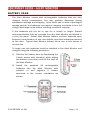
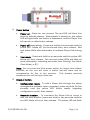
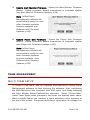
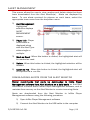
once per second until it checks in with the Alert Monitor and
flashes the red and yellow LEDs five times simultaneously.
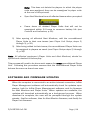
Note: Do not press and hold the check-in button for longer than
eight seconds, as the unit will enter a button lock-out state and be
unresponsive for five to ten minutes.
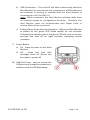
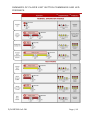
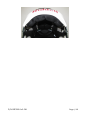
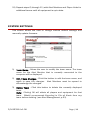
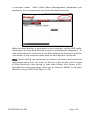
3) Red LED - for feedback patterns, see Summary of Player Unit Button
Commands and LED Feedback, p.22.
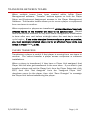
4) Yellow LED - for feedback patterns, see Summary of Player Unit
Button Commands and LED Feedback, p.22.
5) Serial number – A nine-digit number that identifies a particular
Player Unit. This number will appear in the Player Management
software when the Player Unit is added. This number is used to
assign individual Player Unit hardware to a Player.
P/N R63314 v1.08
Page | 21