1
GSM SWITCH (Multi function Programmable)
3.
GSM Switch allows switching almost any Industrial or household appliances On or OFF remotely via
mobile network.
Requirement :
(a) 12 V DC 1 Amp. external Power Supply (Provided with GSM switch Package)
(b) An active mobile phone Sim card with sufficient balance to send confirmation SMS when
programming the GSM switch. The unit accept any Global Network Sim Card as the system fitted
with Quad Band Modem.
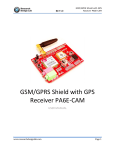
After Installing the GSM Switch Insert the Sim card in card Slot as indicated & the power supply
can be connected & switch on.
The Network LED on the board blinking infrequently until it find network & will then flash in every
three seconds constantly & if it does not happen then the unit has not logged any network it
may be required re seat the SIM Card in the Slot or Restart GSM Switch.
Programming the GSM Switch
Step I
Device registration (Master registration)
Call the device and press the corresponding keys one by one in a sequence with following the
beep sound in every digit pressed. These 10 digit numbers will be registered as Master numbers.
(after the 10th digit call will end automatically). System send the confirmation SMS.
Now only calls from master number will be entertained by the system.
During registration if pressed wrong number or any mistake has done (before 10th digit pressed),
cut the call & repeat the registration procedure from the start.
Only master has access to select the mode, register the other authorized numbers,
set the time, & reset the GSM switch etc. The device always receive calls from master even in
missed call mode.
Note: Please be careful while completing 1st step as once the device registration is done,
it cannot be undone.
Step II
Mode selection
The GSM switch has 6 user selectable Modes, Master can select & activate any mode as
per his requirement.
1. Open Mode + SMS On
In open mode the device can be operated by any number, any one can call the device & give
ON/OFF command by his phone, only master will receive status SMS.
To select this mode Master has to call the device & press ‘1#’
2. Open Mode + SMS OFF
In this mode device can be operated by any number, any one can call the device & give ON/OFF
command by his phone. Status SMS is completely OFF.
To select this mode Master has to call the device & press ‘2#’