1
Manual User of the program oXReception
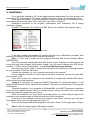
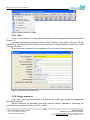
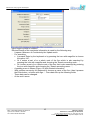
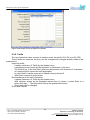
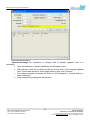
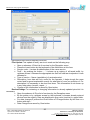
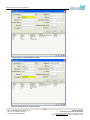
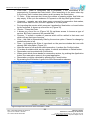
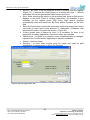
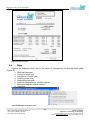
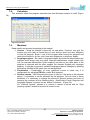
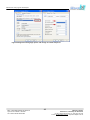
Figure 24 Room information
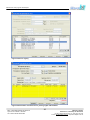
Inspection/Change For inspection or change data to already updated room it is
necessary:
• Open the submenu 1.Rooms Update by the Reception menu
• With pointer or with the up-down arrows we choose some of the already updated
room. Room data shows up at the upper fields in gray color (inactive).
• For making changes it presses the Enter on the keyboard or Change button or
button with sign 3
• Save changes by pushing the Save button
Bank: STOPANSKA BANKA AD SKOPJE
Gyro account: 200001111833780
Tax number: МК4021005145262
21
OBJECT X DOOEL
Nikshicka 16, 7500 Prilep, R. Macedonia
ph./fax: +389 (0)48 403 503, ph. +389 (0)75 444 010
e-mail: office@objectx.com.mk, http://www.objectx.com.mk