1
piCO+ Operating Manual
English
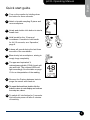
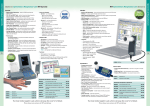
Operation
Ensure that two AA batteries are correctly
located in battery compartment.
•The single button controls all functions:
•One long press of the button (at least
three seconds) turns the unit on.
•A single click scrolls the pointer through
the list of options.
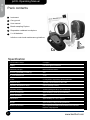
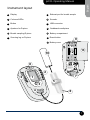
Attach a breath sampling D-piece and a
new cardboard mouthpiece to the piCO+.
Check that all connections are pushed firmly
together.
To start a breath test, the patient should
inhale and hold their breath, then a quick
double click of the button will initiate a
15-second countdown display.
•A quick double click selects the required
option.
•One long press of the button (at least
three seconds) turns the unit off.
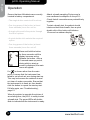
Press and hold the button
for three seconds until the
display becomes active.
Release the button. After a
10-second warm-up period,
during which a start-up
screen is displayed, the main
menu will appear.
is shown rather than the main
If a
menu, it means that the instrument has
failed to set a fresh air zero during start-up.
This may be because the ambient air was
not clear of carbon monoxide. Ensure that
the instrument is in fresh air, then double
click the button to repeat the start-up test.
If it fails again, see ‘Troubleshooting’,
page 15.
When the pointer is opposite the picture of
an exhaling face, the piCO+ is ready to start
a breath test. The green LEDs will double
flash to indicate that the instrument is ready.
10
www.bedfont.com