1
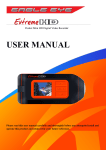
NAVCAM-HD
USER MANUAL
PRODUCT CONNECTIONS AND USE
1
2
3
4
5
6
7
8
9
o
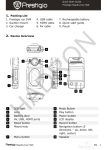
Flip Button- rotates the image 180 on screen
Micro SD card slot, please use a Class 4 micro SDHC
Mini USB Port (for charging or connecting to a PC)
AV Out (3.5mm to RCA connectors) – to watch on a TV
▲ (in on-screen menu) up
▼ (in on-screen menu) down
Ok (confirm selection in on-screen menu)
Power on/off
Mode select
10
11
12
13
14
15
16
17
18
Menu (on screen display menu)
[Not used]
Mounting plate
Reset (pin) switch
Infrared LEDs for night vision
o
Lens, wide-angle 120
Speaker
Colour LCD, 2.5"
LED indicator, Green-on, Red- charging
WHATS IN THE BOX
Actual version may vary from that shown.
3