1
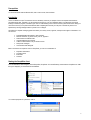
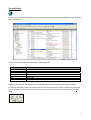
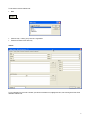
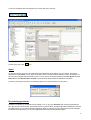
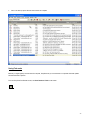
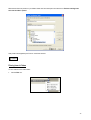
Prerequisites You should be familiar with the Windows GUI, how to use a mouse, files and folders. Introduction This is an interactive course. The instructor will cover the theory and show you samples of how to accomplish tasks within the GroupWise email client. Thereafter, you will practice the exercises on your own. Remember that it is not within the scope of the training to master the program, but rather to give users an understanding of how it works and how to perform the actions. Keep your user-manual so that you can practice the exercises after completing the course at your own pace. The best way to learn is to experience by sending messages either to yourself or to a colleague. GroupWise is a complete messaging system that allows you to easily access, organize, and respond to all types of information. You can use it for: 9 9 9 9 9 9 9 Schedule/delegate appointments, notes and tasks Reserve resources, e.g. board rooms, pool car, projectors Share folders and address books Organize addresses and contacts Create a unified mailbox of all your email accounts Send phone messages Chat real-time with colleagues Bear in mind that to accomplish an action in GroupWise, you can use a combination of: keystroke combinations pull-down menus button-bars shortcuts Starting the GroupWise client From the Start Menu, select Programs, Novell GroupWise, GroupWise. Or from the Desktop, double-click the GroupWise icon. After the logo is displayed, you will see the Universal Mailbox. You could be prompted for a password - enter it. 2