1
Table of Contents
WARNING ..............................................4
CAUTION................................................5
Precautions ...............................................6
Main features ...........................................7
Getting Started
Supplied accessories ................................8
Setting this stand ......................................9
Connecting components with HDMI
jacks .................................................13
Connecting components without HDMI
jacks .................................................15
Setting up the sound output of the
connected component ......................16
Connecting the DIGITAL MEDIA PORT
adapter .............................................17
Advanced Settings
Settings and adjustments using the
amplifier menu ................................ 36
Additional Information
Troubleshooting .................................... 40
Specifications ........................................ 42
Glossary................................................. 44
Index...................................................... 46
Playback Options
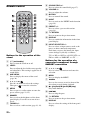
Index to parts and controls .....................18
Enjoying TV...........................................21
Enjoying other components ...................21
Tuner Functions
Presetting radio stations .........................23
Listening to the radio .............................24
Naming preset stations ...........................25
Using the Radio Data System (RDS).....26
Surround Function
Enjoying the surround effect..................27
“BRAVIA” Sync Features
What is “BRAVIA” Sync?.....................30
Preparing for the “BRAVIA” Sync........30
Enjoying Blu-ray Disc/DVD..................32
(One-Touch Play)
Enjoying the TV sound from the
stand.................................................33
(System Audio Control)
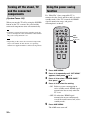
Turning off the stand, TV and the
connected compornents ...................34
(System Power Off)
Using the power saving function ...........34
3GB