1
Contents
3
1
1
About Your New Label Maker
Registering Your Label Maker
1
Getting to Know Your Label Maker
2
2
2
Connecting the Power
Charging the Battery
Removing and Replacing the Battery
3
3
4
4
5
About Labels
Inserting the Label Cartridge
Removing the Label Cartridge
Selecting a Label Cartridge
Removing the Label Backing
6
6
9
10
10
11
11
12
Using Your Label Maker
Keypad
LCD Display
Status Bar
Home Screen
Action Bar
Label Editor
Navigating Labels
13
13
14
14
15
16
16
17
17
18
19
20
20
21
22
22
23
Using the Label Applications
Setting Default Label Properties
Quick Label
General Label
Patch Panel Label
Flag Label
Laminated Cable Wrap Label
Cable Wrap Label
Heat-Shrink Tube Label
110-Block Label
Horizontal Breaker Label
Vertical Breaker Label
Terminal Block Label
Asset Tracking Label
Distribution Panel Label
Materials Management Label
Changing Label Applications
24
24
24
24
25
25
25
26
26
26
Editing and Formatting Text on Labels
Editing Text
Changing the Text Size
Changing the Text Style
Rotating the Text
Aligning the Text
Inserting Punctuation
Inserting Symbols
Inserting International Characters
Creating a Vertical Label
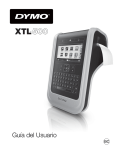
XTL® 300
User Guide