1
Software Installation
Conditions:
• PC with Windows XP, Windows Vista or Windows 7
• RS232 or USB/RS232 converter and/or modem (internal, external, line or
GSM)
• Internet connection
Installation link: http://www.secu-tech.at/software
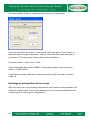
The program is based on Microsoft .NET 3.5 SP1. If this software isn’t installed
on your computer, it will be installed automatically. Please be patient in this
case, in some cases it can take more than 30 minutes.
Make sure that you have administrator rights to install it on your PC.
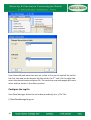
After installation the program starts immediately. The next time you find the
program at:
START – Programs – Security & Electronic Technologies GmbH
Software Update
If your PC has a permanent Internet connection, there is a check for software
updates each program call. Because of permanent improvement of the
software several update in short time are possible.
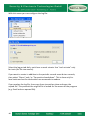
In this case, you will be asked if you want to install the update.
Remember that you need administrator rights on your PC to install the update.
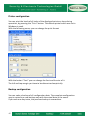
If you have a shortcut of the program on the desktop, you have to make a new
one, because the update is located on another location on the hard disk.
3