1
if ( Ffly.SensorDigRead( RoofClosed_Sensor ) ) then
Ffly.AscomShutterStatus = Shutter_Closed
else
Ffly.AscomShutterStatus = Shutter_Error
end if
end if
And that's all needed to have our simple observatory automated using ASCOM. With this
scripts, any ASCOM-aware program will be able to open, close, and report roof status.
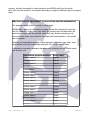
Very important
The Firefly software will execute the scripts found at its install folder,
“ffscripts” subfolder.
If you program your own SyncOpenShutter.vbs and SyncCloseShutter.vbs
scripts, you have to copy them to that folder, along with the supplied
“OpenShutter.vbs”, “CloseShutter.vbs” and “ShutterStatus.vbs”
scripts.
The optional scripts for Relays and Sensor, explained next, also have to be
placed there.
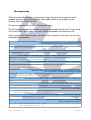
The other, more complex way of programming it, is introduced in section 7.
Firefly - Users manual v. 1.2
21
10/Feb/2013