1
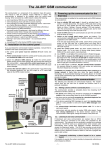
1. User features of the GSM dialer 5. Web server remote access The JA60GSM dialer offers many useful features described in detail below. The installer should properly demonstrate the use of the system to the user after installation and instruct the user on how to set user access codes. 5.1. Setting possibilities: 1.1. Phone calls from the attached SMS-8010 telephone set (optional accessories) After the GSM module is connected to the GSM network, an attached phone can be used. If you pick up the phone you will hear a dial tone. Simply dial the number you want to call. You can also dial the GSM communicator’s phone number from another phone and the attached phone will ring as a normal landline phone would. If it is necessary to communicate with CMS the call from the attached phone will be terminated in 10 minutes. If a busy tone is generated while the attached phone is being used, it indicates either the line you are calling is busy or that the GSM communicator is busy with a communication (alarm system data transfer has priority). 1.2. Sending SMS messages If used, then the SMS-8010 phone can be used for easy and convenient receiving and sending of SMS messages. The main features of SMS-8010 are: • Making calls – using the receiver or the build-in hands-free set • Writing SMS messages using an alphabetical keypad, message archiving (40 messages) • Call record function – caller identification and date/time • Integrated phonebook records up to 80 phone numbers and names For detailed information see the SMS-8010 manual. 1.3. Telephone remote control of the alarm system A Jablotron system equipped with the GSM dialer can be remotely controlled via a landline or mobile phone. From a mobile phone there are two possibilities – either by text instructions sent via SMS or by dialing-in and operating the system via the phone keypad, which operates in the same way as the alarm system keypad. The dialing-in method can also be preformed from an ordinary landline telephone. The following description matches the factory default settings of the dialer. The described features can be modified during the installation. The installer should explain clearly any changes to the default settings. 1.4. General instructions for the remote control via SMS instructions SMS instructions can be sent from a mobile phone or from Jablotron’s SMS website (www.GSMlink.cz). SMS messages are not case sensitive. Only Standard English letters are accepted. All SMS instruction words must be separated by a space. If the % is used all previous text will be ignored. The %% symbol when used in SMS text ends processing – all the following text will be ignored. It is recommended to use this symbol at the end of the instruction if the provider sends some additional text after your message (advertisements etc.). Warning: if any incoming SMS includes except a valid system command any extra text which is not separated by % or %% symbols the command will not be executed Examples of SMS: “Hi, this text will be ignored even if I write ME % MO %% Thank you” – Only MO command will be executed “Hi, MO” – Command in the SMS will be ignored because there is an extra text The default command texts can be customized by an installer or user (see section 3.3). E.g. the command AUXON can be changed to SWITCH ON HEATING etc. 1.5. Arming by SMS (AM xxxx) The command AM followed by a valid access code is used for arming the alarm system. If the system is already fully armed, this command will be ignored. Send SMS text to the dialer: AM∗xxxx xxxx ∗ is a valid alarm system access code (Master or user). separator (asterisk or space) -2- 5.2. Registration to the web site Registration can be done in two ways: • Web site www.gsmlink.cz – to register your system use the registration code printed on the warranty certificate (the code has a form xxxxx-xxxxx-xxxx and it is unique for each system) • Mobile phone – when the alarm system is in the programming mode, enter 972 xxxxx F0 on the alarm system keypad (xxxxx is your mobile phone number). After a moment you will receive an SMS with a registration code and the system will register to the web server. 5.3. Control panel or GSM dialer setting If you want to set the control panel features you need to know your service and user code. After receiving the correct SMS the GSM dialer will switch to the service mode (disarms and enters the service mode), set the parameters, reads settings and switches back to the chosen mode (service, armed or disarmed). Correct settings and state of the control panel is transferred back to the server. 5.4. Reading of history events History events are readable in any state of the control panel (service code is not needed). One SMS contains 20 events. If it is necessary to read all of the events the GSM dialer will send 7 SMS messages. 6. The Modem function The GSM communicator can also be used as an external modem for accessing the Internet (GPRS format). It is necessary to have the GPRS in the SIM card activated and to have a connection cable connected to the COM port of the PC. Support for MS Windows operating systems can be found on the enclosed CD. The modem can be used only when all reports to the CMS, SMS and system’s calls are executed. When the modem is used: It is possible to use the attached telephone, the internet connection will be temporally suspended Received SMS’s are stored and they will be processed after disconnection of the modem The modem will be disconnected if an alarm or arming event occurs 7. Additional information 7.1. Events reporting priorities: If the dialer is activated to send an events report it will: send information to CMS send SMS reports (1st telephone number, 2nd telephone number,…. 8th tel. number) send audible warnings (1st telephone number, 2nd telephone number,…. 8th tel. number) – each number is called only once, no matter if it is answered or not If any event is triggered which should be reported to a CMS while the alarm system is accessed remotely from a phone, the report will be sent after the remote access is finished. If the user cancels the alarm, all reports, which haven’t been sent yet, will be deleted. This doesn’t included communication with the monitoring station. Example: Sending of AM∗1234 will arm the system in the same way as if the code 1234 is entered on system’s keypad. User manual JA-60GSM The setting server allows a user to read and change the control panel and dialer configuration. Data transfer is made by sending an SMS. The web site allows the user to change: • control panel setting, • dialer setting, • set messages that will be transferred to up to 7 phone numbers, The web site is able to read an event memory of a control panel as well (such as ComLink software). The number of sent data SMS’s is optimized to reduce costs as much as possible. MFJ51808 User manual JA-60GSM - 11 - MFJ51808