1
1. INTRODUCTION .............................................................................................................................. 3
1.1 HOW TO USE THIS MANUAL.............................................................................................................. 3
1.2 PRECAUTIONS .................................................................................................................................. 3
1.2.1 Safety ...................................................................................................................................... 3
1.2.2 Protection ................................................................................................................................ 4
2. OVERVIEW........................................................................................................................................ 5
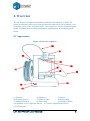
2.1 APPEARANCE ................................................................................................................................... 5
2.2 SPECIFICATIONS ............................................................................................................................... 8
2.2.1 Printer Physical Characteristics ............................................................................................... 8
2.2.2 Specifications .......................................................................................................................... 8
2.2.3 Environmental specifications .................................................................................................. 8
3. OPERATION ...................................................................................................................................... 9
3.1 PREPARATION .................................................................................................................................. 9
3.1.1 Installing the printer ................................................................................................................ 9
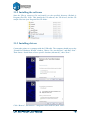
3.1.2 Installing the software ........................................................................................................... 12
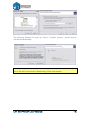
3.1.3 Installing drivers .................................................................................................................... 12
3.2 USING THE BASIC FUNCTIONS ........................................................................................................ 14
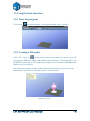
3.2.1 Start the program ................................................................................................................... 14
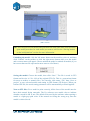
3.2.2 Loading a 3D model .............................................................................................................. 14
3.2.3 View Options ......................................................................................................................... 17
3.2.4 Model transformations .......................................................................................................... 18
3.2.5 Placing models onto the build platform................................................................................. 20
3.3 GETTING READY TO PRINT ............................................................................................................ 21
3.3.1 Initializing the Printer ............................................................................................................ 21
3.3.2 Calibrating the Level of Platform .......................................................................................... 22
3.3.3 Calibrating the Nozzle Height ............................................................................................... 24
3.3.4 Other Maintenance Options................................................................................................... 28
3.3.5 Preparing the Platform .......................................................................................................... 30
3.3.6 Print Setup Options ............................................................................................................... 31
4. PRINTING ........................................................................................................................................ 37
5. MODEL REMOVAL ........................................................................................................................ 40
REMOVING SUPPORT MATERIAL.......................................................................................................... 40
6. MAINTENANCE ............................................................................................................................. 42
CHANGING THE MATERIAL .................................................................................................................. 42
VERTICAL CALIBRATION ..................................................................................................................... 42
CLEANING THE NOZZLE ....................................................................................................................... 44
REMOVING / CHANGING THE NOZZLE .................................................................................................. 45
CLEANING THE PLATFORM ................................................................................................................... 46
LUBRICATION OF BEARINGS ................................................................................................................ 46
SPARE PARTS ....................................................................................................................................... 46
7. TIPS & TRICKS ............................................................................................................................... 47
8. TROUBLESHOOTING ................................................................................................................... 49
SOLUTION FOR "USB.DLL NOT FOUND" PROBLEM ............................................................................... 49
UP! 3D Printer User Manual
2