1
KITE™: Educator Portal – User Manual
106
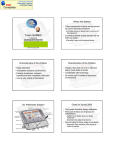
Note: You can also get to the Configuration: Students - View Students screen
by clicking Configuration on the home page of Educator Portal. Then
click the Students tab and select View Students in the drop-down
menu.
3. Click the arrow in the State drop-down menu.
4. Select your state.
Note: You may also select your District and School in the appropriate dropdown menus.
5. Click Search.
Email: kite-support@ku.edu
ATS Help Line: 785.864.3537