1
User Manual
wireless
Jan 2005
1 Introduction
Point-It! Wireless
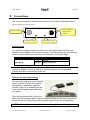
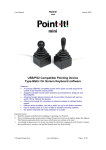
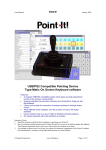
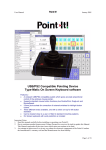
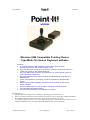
Point-It! Wireless is a compact battery powered wireless USB compatible joystick
for use as an alternative to a mouse input. It gives smooth accurate proportional
control of a Windows mouse pointer. This small unobtrusive unit can be located
close to a user or mounted on their wheelchair. In addition it has fixings in its
base so that it can be attached to a Universal Mounting System and positioned
effectively for chin control. The joystick is a professional non-contacting type as
found on powered wheelchairs and is available with different knob options
including ball, chin, T-bar and sponge.
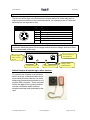
Three buttons are used to operate mouse functions left click, right click and
mouse speed. The function of the right button can be set to be either right click,
double click, drag lock or it can be used to switch between operating the mouse
and operating an external device (read below). A fifth switch located in the top of
the standard knob also operates the left button.
Advanced Modes
(NEW)
The Point-It! can also be operated in two advanced modes: “Joystick+Switch”
and “Joystick Only” modes.
In “Joystick+Switch” mode pressing the left button begins selection of a mouse
button action. Then, rather than moving the mouse pointer, the next movement of
the joystick makes a mouse button action. A left movement for left click, a right
movement for right click , a forward movement for a double click and a
backwards movement for a left drag lock. This mode is a good solution for a
person who can activate only one button but who requires all mouse functions.
In “Joystick Only” mode all mouse button actions can be selected without ever
pressing a button. For a left click the joystick is “flicked” to the left. For a right
click the joystick is “flicked” to the right. For a double click the joystick is “flicked”
forward and for a drag lock the joystick is “flicked” backwards (chooses external
device when option fitted).
See chapter 4 for a complete description of these advanced modes.
Using external switches and switch joysticks
For those who find it difficult to operate the buttons on the unit itself 3.5mm jack
sockets allow connection of standard switches
©Unique Perspectives
www.click2go.ie
Page 3 of 30