1
Introduction
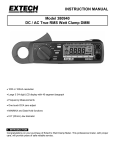
Congratulations on your purchase of Extech’s DC/AC Clamp Meter. This professional meter, with
proper care, will provide years of safe reliable service.
Front Panel Description
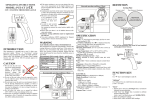
6. One-touch DCA zero key
7. LCD Display
8. 40 segment bargraph display
1. Current sense jaw
2. Measurement Trigger
3. Function switch
4. Data Hold key
5. Max Min key
9. Positive input terminal for V, HZ and Ω
10. COM terminal
International Symbols
!
Caution ! Refer to the explanation in this Manual
Caution ! Risk of electric shock
Earth (Ground)
Safety
This meter has been designed to be safe in use, but the operator must use caution in its operation.
The rules listed below should be carefully followed for safe operation.
1. NEVER apply voltage or current to the meter that exceeds the specified maximum:
2.
USE EXTREME CAUTION when working with high voltages.
3.
DO NOT measure voltage if the voltage on the "COM" input jack exceeds 500V above earth
ground.
4.
NEVER connect the meter leads across a voltage source while the function switch is in the
current, resistance or diode mode; doing so can damage the meter.
5.
ALWAYS discharge filter capacitors in power supplies and disconnect the power when making
resistance or diode tests.
6.
ALWAYS turn off the power and disconnect the test leads before opening the back to replace
the fuse or batteries.
7.
NEVER operate the meter unless the back cover and the battery/fuse door are in place and
fastened securely.
2
380941-EN-V3.2-3/12