1
Table of Contents
Overview
About this book
Typographics
P.1
P.1
P.2
Getting started
Package contents
Getting your LN Book Series ready for use
Saving power of your LN B ook Series
Expanding the capabilities of your LN Book Series
P.3
P.3
P.3
P.3
P.5
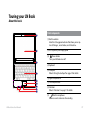
Touring your LN Book Series
Front view
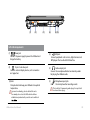
Left side view
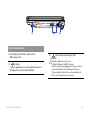
Right side view
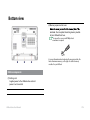
Bottom view
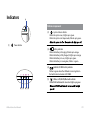
Indicators
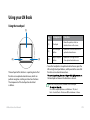
Using your LN Book Series
Using the touchpad
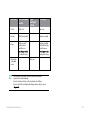
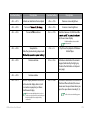
Function hotkeys
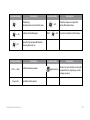
Windows key shortcuts and other keys
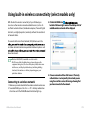
Using built-in wireless connectivity (select models only)
Connecting to a wireless network
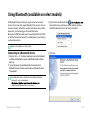
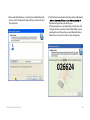
Using Bluetooth (available on select models)
P.7
P.7
P.8
P.9
P.10
P.11
P.11
P.12
P.14
P.15
P.16
P.17
P.18
P.21
LN Book Series User Manual
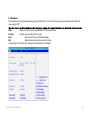
BIOS Setup Menu
Main menu
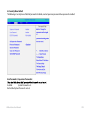
Security Menu Default
Set User Password / Set Supervisor Password
Boot Menu Default
Exit Menu
Multi-Boot Menu
P.23
P.24
P.25
P.26
P.28
P.29
P.30
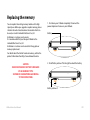
Replacingthe memory
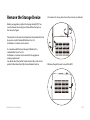
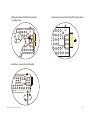
Remove the Storage Device
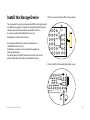
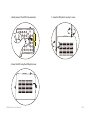
Inatall the Storage Device
P.31
P.35
P.37
Appendix
P.39
Table of Contents ii