1
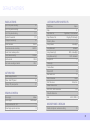
TABLE OF CONTENTS
Minimum system requirements..................................... 4
Recommended system requirements........................ 5
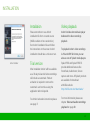
Installation................................................................................ 6
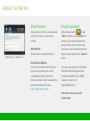
Product activation................................................................. 7
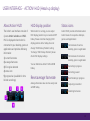
User Interface - Action! HUD........................................... 8
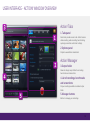
User Interface - Action! window overview................ 9
User Interface - Action! tabs............................................. 10
Video Recording - Introduction....................................... 11
Games and applications recording.............................. 13
Active Aero desktop recording........................................ 14
Active Aero desktop region recording......................... 15
Selected applications window recording.................. 16
Web videos recording in 60fps....................................... 17
Web videos recording with Perfect Video Match
mode........................................................................................... 18
Adding Webcams to video recordings....................... 19
Audio recording..................................................................... 20
Video & audio recordings playback............................. 21
Benchmarking........................................................................ 22
Capture Screenshots........................................................... 23
Export recordings.................................................................. 24
Exporting to YouTube........................................................ 27
Exporting to Facebook...................................................... 28
General Settings.................................................................... 29
Video Recordings Settings............................................... 30
Webcam Settings................................................................. 31
Audio Settings......................................................................... 32
HUD Settings........................................................................... 33
Export Settings....................................................................... 34
Hotkeys Settings.................................................................... 35
Action! Remote Control Application............................. 36
Default Hotkeys...................................................................... 37
Operating Systems Restrictions..................................... 38
Troubleshooting..................................................................... 39
Technical and Customer Support................................. 40
3