1
* Rule Development:
Spanish maintains a fairly good one to one relationship between letters
and sounds. Taking advantage of this fact and following the words of Adelstein
[1973] and Navarro [1967], the creation of the first draft of rules was feasible.
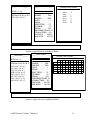
Appendix A is a complete user's manual of the Rule-editor which explains the
features of each window as well as how to create and update rules.
The creation of the rules was over as soon as the spoken output of the
expert system was understandable and pleasing. However, in several cases due
to the limited set of phonemes provided by the synthesizer it was not possible to
generate or improve the sounds of some phonemes. For example, the nasal
voiced consonants n and ii are currently causing problems in the pronunciation
of some words. The phoneme n is provided by the synthesizer but the ii is not.
Moreover n is usually confused with the consonant 1. The synthesizer
pronounces both n and I as a voiced alveolar, but in human speech an I is a
lateral and n is a nasal. It seems that the synthesizer failed to distinguish in its
production between sounds with similar points of articulation (but different
timbres), especially in allowing the hearer to differentiate between nasal sounds
and non-nasal sounds.
At present, there are a set of 68 letter-to-sound rules that translate Spanish
text into speech. The name of the knowledge where such rules are preserved is
IPASP. The current output of the system can be improved with more exhaustive
rules. However, polishing the rules is a task that might take time yet one would
be undoubtedly regarded with more pleasing outputs.
B. Rule-Interpreter
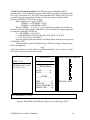
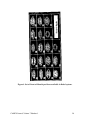
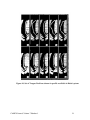
The rule-interpreter is designed to animate a human speech model given a
knowledge (set of rules) and any input text. The first and only query of the ruleinterpreter is the name of the knowledge to be used. Once the knowledge is
loaded the user is welcome to type a limited size text that may include any
character defined by the rules. The computer will repeat the speech animation as
many times as the user keeps pressing any key but <RETURN>. If <RETURN> is
pressed, the input window will be erased and the user may type again. When
pressing the key Fl after the text has been input, the expert system slows down
the animation process in order to let the student appreciate in detail (phoneme
by phoneme) the phonetic transcription of the input text. By toggling the Fl key
again the expert system returns to its normal animation speed.
Results and Conclusions
Some of the students who have used the Babel system have commented
that while interacting with the system, they realized for the first time what was
going on inside of their mouth, where their tongue was in the speech process.
And they felt it was very easy to use. As stated, some of the applications of Babel
might be in the areas of phonetic course training, speech pathology, file-text-
CALICO Journal, Volume 7 Number 3
23