1
!
In the tutorial, we recommend when you should zoom in or out on the drawing to get better views of your
work. In addition to our recommendations, you should feel free to use the View menu or the Quick View
toolbar to zoom around the drawing as you feel is appropriate. Press F10 to go to previous zooms or F11
to make a new zoom.
!
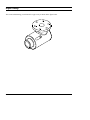
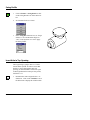
To load a specified drawing, press F4 to Open a drawing. The drawings that you will be asked to open
are located in the \SAMPLES sub-folder under the folder that you installed CADMAX.
2 / Solids Tutorial
CADMAX User's Manual