1
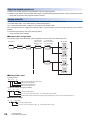
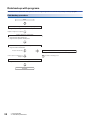
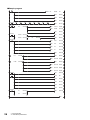
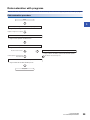
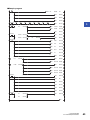
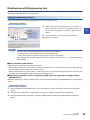
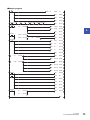
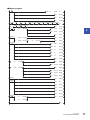
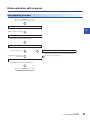
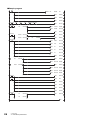
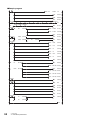
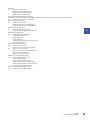
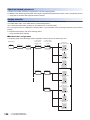
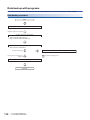
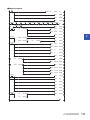
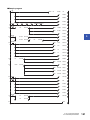
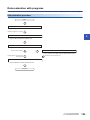
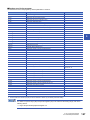
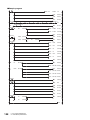
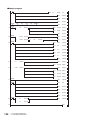
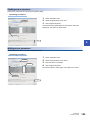
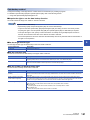
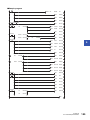
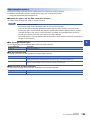
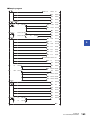
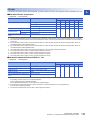
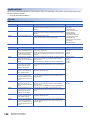
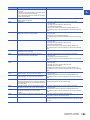
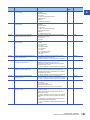
[Initialization]
(0)
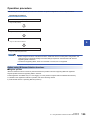
Initialize the execution result.
Initialize the normal completion display.
Initialize the abnormal completion display.
Set the backup execution trigger.
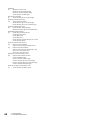
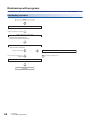
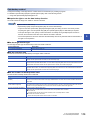
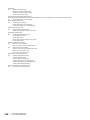
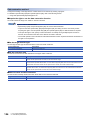
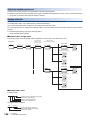
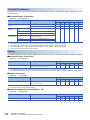
[Executing data backup/Checking data link status]
Confirm that the other station data link status (SW00B0 to SW00B7) is in process of data link before performing the data backup request.
(8)
Set the backup right-to-use request trigger.
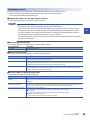
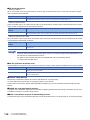
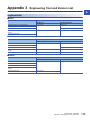
[Requesting backup right-to-use]
(22)
Store the right-to-use number.
Set the backup right-to-use request trigger.
Set the backup right-to-use confirmation trigger.
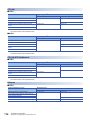
[Confirming backup right-to-use]
(31)
Set the backup setting/start trigger.
Display the backup right-to-use acquisition failure.
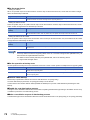
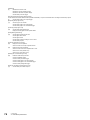
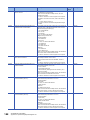
[Setting/Starting data backup]
(45)
Set the target module/execution unit.
Set the target folder number.
Set the target module.
Set the backup operation setting for error occurred.
Set the backup request.
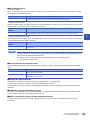
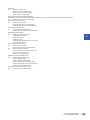
[Confirming data backup execution]
(55)
Display the normal completion.
(61)
Display the abnormal completion.
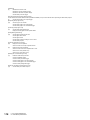
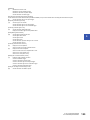
Save the number of normally completed devices.
Save the number of devices completed with an error.
Save the error code (module error).
Save the error code (device error).
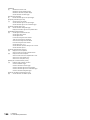
[Enabling the next data backup process]
(71)
Enable the data backup execution.
Clear the initialization trigger.
Clear the backup execution trigger.
Clear the backup right-to-use request trigger.
Clear the backup right-to-use confirmation trigger.
Clear the backup setting/start trigger.
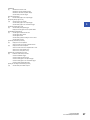
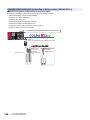
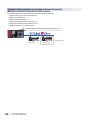
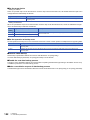
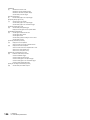
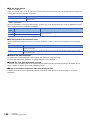
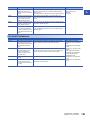
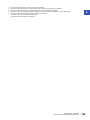
[Setting for cancelling the data backup process]
(79)
118
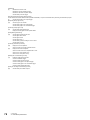
Set the backup cancellation request.
5 CC-Link IE Field Network
5.5 Data Backup/Restoration