1
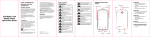
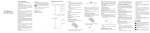
2. Put the micro-SIM / micro-UIM card to the
card tray as shown and slip the card tray
into the card slot.
Installing the microSDHC Card
1. Using the thimble take out the microSDHC
card cover.
2. Put the microSDHC card to the card slot
as shown.
CAUTION: To avoid damage to the phone,
please do not use other kinds of SIM cards,
and do not use a non-standard micro-SIM card
cut from a SIM card. You can get the standard
micro-SIM card from your service provider.
Charging the Battery
When you first get your new phone you’ll need
to charge the battery like this:
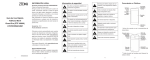
1. Connect the adapter to the charging jack.
2. Connect the charger to a standard AC
power outlet.
3. Disconnect the charger when the battery
is fully charged.
WARNING! Use only ZTE-approved chargers
and cables. The use of unapproved accessories could damage your phone or cause the
battery to explode.
CAUTION: Do not change the built-in rechargeable battery in your phone by yourself.
The battery can only be changed by ZTE or
ZTE authorised service provider.
NOTE: If the battery is extremely low, you may
be unable to power on the phone even when
it is being charged. In this case, try again after
charging the phone for at least 10 minutes.
Contact customer service if you still cannot
power on the phone after prolonged charging.
Powering On/Off Your Phone
Make sure the battery is charged before powering on.
• Press and hold the Power Key to turn on
your phone.
• To turn it off, press and hold the Power
Key to open the options menu. Touch
Power off.
Waking Up Your Phone
1. Press the Power Key to activate your
screen display.
2. Long press the screen to unlock.
NOTE:
If you have set an ‘unlock pattern’, or a PIN/
password for your phone, you’ll need to draw
the pattern or enter the PIN/password to unlock your screen.
Using the Touch Screen
Your phone’s touch screen lets you control actions through a variety of touch gestures.
• Touch
When you want to type using the onscreen
keyboard, select items onscreen such as
application and settings icons, or press
onscreen buttons, simply touch them with
your finger.
•
•
•
•
•
Touch and Hold
To open the available options for an item
(for example, a message or link in a Web
page), touch and hold the item.
Swipe or Slide
To swipe or slide means to quickly drag
your finger vertically or horizontally across
the screen.
Drag
To drag, press and hold your finger with
some pressure before you start to move
your finger. While dragging, do not release
your finger until you have reached the target position.
Pinch
In some apps (such as Maps, Browser,
and Gallery), you can zoom in and out by
placing two fingers on the screen at once
and pinching them together (to zoom out)
or spreading them apart (to zoom in).
Rotate the screen
For most screens, you can automatically
change the screen orientation from portrait
to landscape by turning the phone sideways.
ZTE Mobile Phone Registration
Dear customer, in order to provide you better
service, one registration message will send to
ZTE service database. This message is free
from ZTE. You will be charged one normal
SMS rate by your operator.
E-Waste Management
What is E-waste?
‘E-waste’ means waste electrical and electronic equipment
(WEEE).
How harmful is e-waste?
E-wastes are considered dangerous, as certain components of some electronic products
contain materials that are hazardous, depending on their condition and density. If improperly
disposed, they can leach lead and other harmful substances into soil and groundwater.
Govt. of India vide notification dated May 12,
2011 has announced E-waste (Management
and Handling) Rules, 2011 (“Rules”).
According to these Rules, the consumer now
has the legal responsibility to dispose of the
waste electrical and electronic equipment
(popularly known as “WEEE”) in the prescribed manner and not by just throwing it into
a dustbin or giving /selling it to scrap dealer.
V RECYCLE , is an initiative by Videocon
where we recycle your old and no longer useful phones.
There are 3 easy steps to begin playing your
part:
Step 1: Grab your old and useless phone (or
its accessories).
Step 2: Locate a ZTE Collection Point near
you, available at www.ztedevice.com .
Step 3: Drop your old phone into the designated collection boxes.
Lets join hands today to celebrate the glory
of nature earth & help in making it a better &
healthier place for all of us.