1
Admin Settings
Admin Settings
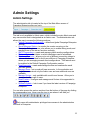
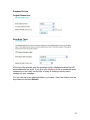
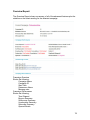
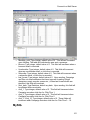
The administration tab is located at the top of the Main Menu screen of
Campaign Enterprise after you log in.
The tab is only available to Admin users, which include the main Admin user and
any user account that is designated as an Admin user. The Administration tab
allows the user to access the following sections:
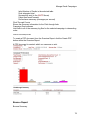
• Default Campaign Configuration – default and global Campaign Enterprise
settings.
• Server Manager Status – to monitor the events occurring on the
Campaign Enterprise server, also allows you to enable debug mode, and
manage some of the server functions remotely.
• SMTP Connections – create and manage global sending configurations.
• Blackout Dates – limit dates on which campaigns can be scheduled.
• Database Shortcuts – allows you to set up different connection strings to
various databases. Ideal for multi user editions of Campaign Enterprise
where you are managing several client configurations. This feature must
be enabled in the Default Campaign Configuration section.
• Email Accounts – create and manage bounce and unsubscribe email
accounts globally.
• Manage Users – set up and edit user accounts. In the evaluation and
single license versions only the Admin user and one additional user are
available.
• Manage Groups – only available with a multi-user license. Allow you to
create and edit groups of users.
• Email Footers – configure and manage email footers to be appended to
campaigns.
• Software Update – look to see if you have the latest version of Campaign
Enterprise.
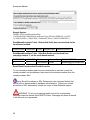
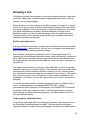
You can also access the various sections from the bottom of the page by clicking
the corresponding icon. Hover over the icon to see where it will take you.
Only users with administrator privileges have access to the administration
functions in Enterprise.
15