1
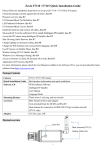
Zavio B8210 Quick Installation Guide
Please follow the installation steps below to set up your B8210 Bullet IP Camera.
Check the package contents against the list below. See P.1
Physical overview. See P.2
I/O Terminal Block Circuit. See P.3
I/O Terminal Block Pin Definition. See P.3
LED Indicator Definition. See P.4
Power mode. See P.4
Install the hardware and connect all cables. See P.5
Microsoft OS: Use the software CD to install Intelligent IP Installer. See P.8
Access the IP Camera using Intelligent IP Installer. See P.8
Mac OS using Safari Broswer. See P.11
Lighting environment. See P.11
Change the Web Interface into your preferred language. See P.12
Application of IP Camera. See P.12
For more information, please check the User Manual available in the Software CD or you can download
the latest software from http://www.zavio.com
Package Contents
Camera
B8210 IR Bullet Network Camera
Quick Installation Guide
Brief product information and quick installation
Software CD
IP Surveillance Software
Intelligent IP Installer
User Manuals
Language Packs
Accessory
Sun shield and screws
Wall mount bracket and wrench
Metal plate for wall mount bracket
Screw pack for wall and ceiling mounting
Alignment sticker
Body adapter
Wrench for front&back cover
Waterproof Connector
Moisture Absorber
Foam tape
2 pin terminal blocks for power
Cat 5e Female Coupler
1