1
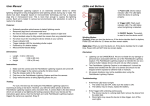
Dimensions: Length : 3.93 in (100 mm) Width : 2.36 in (60 mm) Height : 1.38 in (35 mm) Instructions: 1. Make sure the camera and the PatchMaster Lightning Capture are turned off. 2. Mount the trigger to the camera using the hot shoe mount. 3. Plug the release cable to the camera. 4. First turn on the PatchMaster Lightning Capture and then the camera. 5. Enjoy while the device is taking lightning photos for you. Testing: For sure, the best way for testing the PatchMaster Lightning Capture is examining it during a real storm. However, you still have other options to test the PatchMaster Lightning Capture until a real storm hits. A flash is the best device which can simulate a real lightning for testing purposes. Mount your device per the instructions given above, then fire the flash and verify PatchMaster Lightning Capture triggers the camera as expected. Enjoy it!