1
Gigaset C610/610AIP / MEA EN / A31008-M2312-A601-1-UZ43 / telephony_1pg.fm / 3/8/11
Making calls / operating the answering machine
Making calls
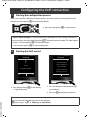
> Enter a phone number using your handset's number keys.
Please note that, even with local calls, you must always dial the area code for calls via VoIP
(provider-dependent).
> Press the talk key c.
> If you have assigned the handset a fixed send connection (default assignment: fixed line connection), the number will be dialled via this send connection.
Or
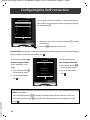
> If you have assigned the handset Sel. at each call, the list of connections for your phone will be
displayed (Fixed Line, IP 1 etc.).
> Select a send connection and press the talk key c; the number will be dialled via the selected
send connection.
Operating the Gigaset C610A IP answering machine
Switching the answering machine on/off
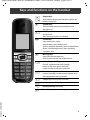
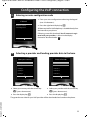
> Press right on the control key p to open the menu.
> Press down on the control key p to select the Ì symbol and then press the display key §OK§.
> Press down on the control key p to select the Activation function and then press the display
key §OK§.
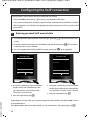
If you have assigned multiple integrated answering machines to the phone's connections, a list of
answering machines is displayed, to which at least one phone connection is assigned as a receive
connection. An answering machine is activated if it is marked with μ. Use the control key p to
select an answering machine and press the display key §OK§.
> Use the control key p (press right/left) to select On or Off; this activates or deactivates answer
and record mode (default setting) for the answering machine.
> Press the display key §Save§.
Listening to messages
> Press the message key f. Select one of the answering machine lists (Answer Mach. 1, Answer
Mach. 2, Answer Mach. 3) using the control key p (press down) and press the display key §OK§.
Version 5, 23.09.2008
Message playback starts.
18