1
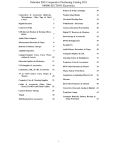
Contents
Contact Information .................................................................................................................... 4
Setting Up CPS .......................................................................................................................... 5
Overview ................................................................................................................................ 5
Purpose .................................................................................................................................. 5
Install CPS ............................................................................................................................. 6
Download Instructions ................................................................................................................ 6
CPS Receivers ....................................................................................................................... 7
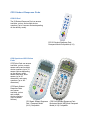
CPS Student Response Pads ................................................................................................. 8
CPS IR Pad ........................................................................................................................ 8
CPS Spark and CPS Pulse Pads ........................................................................................ 8
Databases .............................................................................................................................. 9
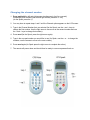
Changing the channel number ...............................................................................................10
CPS Window Tour ....................................................................................................................11
Class Rosters in a Classpack Model .....................................................................................12
Import a .csv File ...................................................................................................................15
Quick Class ...........................................................................................................................16
Learning Management Systems ................................................................................................18
Manage a Bookstore Model Class Roster with CPSOnline ....................................................18
Manage a Bookstore Model Class Roster with Blackboard ....................................................21
Manage a Bookstore Model Class Roster with Vista (WebCT) ..............................................25
Manage a Bookstore Model Class Roster with ANGEL .........................................................28
Student Resources ................................................................................................................31
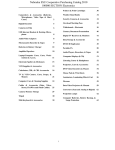
Instant Classroom Interactivity ..................................................................................................33
Overview ...............................................................................................................................33
Purpose .................................................................................................................................33
Verbal Questions ...................................................................................................................34
Chalkboard Questions........................................................................................................40
FastGrade .............................................................................................................................41
Student Paced Mode .............................................................................................................43
Student Managed Practice Mode (IR Only) ...........................................................................45
Engage Multiple Lessons ......................................................................................................46
Homework Mode ...................................................................................................................47
Creating Content in CPS ...........................................................................................................49