1
KF4.5i
USER MANUAL - ENGLISH
Safety
Environment
Never attempt to disassemble your phone. You alone are responsible for how you use your phone and any consequences of its use.
As a general rule, always switch off your phone wherever the use of
a phone is prohibited. Use of your phone is subject to safety measures designed to protect users and their environment.
Do not use your phone in damp areas (bathroom, swimming pool…).
Protect it from liquids and other moisture.
Do not expose your phone to extreme temperatures lower than 10°C and higher than + 55°C.
The physicochemical processes created by chargers impose temperature limits when charging the battery. Your phone automatically
protects the batteries in extreme temperatures.
Do not leave your phone within the reach of small children (certain
removable parts may be accidentally ingested).
Electrical safety: Only use the chargers listed in the manufacturer’s catalogue. Using any other charger may be dangerous; it would
also invalidate your warranty. Line voltage must be exactly the one
indicated on the charger’s serial plate.
Aircraft safety: When traveling by plane, you will need to switch
your phone off when so instructed by the cabin crew or the warning
signs.
Using a mobile phone may be dangerous to the operation of the
aircraft and may disrupt the phone network.
Its use is illegal and you could be prosecuted or banned from using
cellular networks in the future if you do not abide by these regulations.
Explosive materials: Please comply with warning signs at petrol
station asking you to switch your phone off. You will need to comply
with radio equipment usage restrictions in places such as chemical
plants, fuel depots and at any location where blasting operations
are under way.
Electronic equipment: To avoid the risk of demagnetization, do
not let electronic devices close to your phone for a long time.
Electronic medical equipment: Your phone is a radio transmitter which may interfere with electronic medical equipment or implants, such as hearing aids, pacemakers, insulin pumps, etc. It is
recommended that a minimum separation of 15 cm be maintained
between the phone and an implant. Your doctor or the manufacturers of such equipment will be able to give you any advice you may
need in this area.
Hospitals: Always make sure that your phone is switched off in
hospitals when so instructed by warning signs or by medical staff.
Packaging: To facilitate the recycling of packaging materials,
please obey the sorting rules instituted locally for this type of waste.
Batteries: Spent batteries must be deposited at the designated
collection points.
The product: The crossed-out waste bin mark affixed to the product means that it belongs to the family of electrical and electronic
equipment.
To promote the recycling and recovery of waste electrical and electronic equipment (WEEE) and at the same time safeguard the environment, European regulations require you to obey the sorting rules
instituted locally for this type of waste.
1. Getting Started
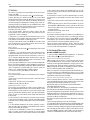
1.1 Getting to know your touch phone
1.2 Installing the SIM card, battery, and storage card
You need to remove the back cover before you can install the SIM
card and battery. Also, make sure to always turn off the power before installing or replacing the SIM card and battery.
To remove the back cover
1. Make sure your device is turned off.
2. Firmly hold the device with both hands and the front panel facing
down.
3. Push the back cover up with your thumbs until it disengages from
the device and then slide it up to remove.
To remove the battery
1. Make sure your device is turned off.
2. Remove the back cover.
3. The bottom of the phone has a notch. Lift the battery by the notch
to remove it.
To install the SIM card
The SIM card contains your phone number, service details, and
phonebook/ message memory. Your device is supported 2G, 3G
(WCDMA) or 4G (FDD_LTE) SIM cards.
1. Remove the battery if it is installed.
2. Locate the SIM card slot, and then insert the SIM card with its
gold contacts facing down and its cut-off corner facing out the
card slot.
3. Slide the SIM card completely into the slot.
Notes:
• The phone can support single SIM cards only. The card slot supports 3G (WCDMA) or 4G SIM card (FDD_LTE). If you need to use
4G operation, please insert 4G card in the card slot (network type is
default 4G, defined in the menu Settings/More…/Mobile networks/
Preferred network type). If insert 3G or 2G card in the card slot, you
can also use 3G or 2G operation only.
• Some legacy SIM cards may not function with your device. You
should consult with your service provider for a replacement SIM
card. There may be fees for this service.
To install a memory card
To have additional storage for your images, videos, music, and files,
you can purchase a memory card and install it into your device.
1. Make sure that your device is turned off, and then remove the
back cover.
2. Locate the memory card slot on the upper part of the exposed
right panel.
3. Insert the memory card into the slot with its gold contacts facing
down until it clicks into place.
Road safety: Do not use your phone when driving. In order to give
your full attention to driving, stop and park safely before making a
call. You must comply with any current legislation.
Distance of operation: This phone model has been tested and
meets radiofrequency exposure guidelines when used as follows:
• Against the ear: Place or receive a phone call and hold the phone as
you would a wire line telephone.
• Body worn: When transmitting, place the phone in a carry accessory that contains no metal and positions the phone a minimum of
2.5 cm form your body. Use of other accessories may not ensure
compliance with radiofrequency exposure guidelines. If you do not
use a body worn accessory and are not holding the phone at the ear,
position the phone a minimum of 2.5 cm from your body,
• Data operation: When using a data feature, position the phone a
minimum of 2.5 cm from your body for the whole duration of the
data transmission.
3