1
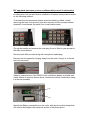
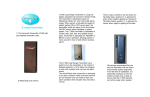
Solder the battery wires as shown above. Ensure that the –ve battery
terminal is connected so as to bridge the solder bridge as without the bridge
being in place, battery backup is not enabled.
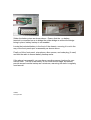
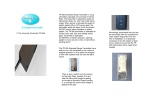
Locate the insulated battery in the front of the chassis, ensuring it is not in the
way of the front panel upon re-assembly as shown above.
Finally re-fit the front panel, microphone, allen screws, and code plug (if used)
and test the radio to ensure battery backup works.
If the above is successful, you now have a working memory backup for your
Ascom radio. The life of the battery is not known at this stage, but should
provide several months backup as a minimum, assuming the radio is regularly
used as well.
G0BEQ
29 August 2004