1
ODYS LCD-TV CINEMA 22” – Pure White
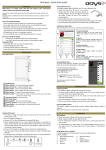
OSD OPERATION
SETUP MENU OPTIONS
EN
Press MENU button on the front panel or LCD-MENU on the remote control to
display the main menu.
NOTE:SETUP menus are different for different input sources, if the input source
is selected HDMI/YPbPr/VGA and there are no relative input signal,
SETUP menu will be unavailable.
SETUP menu of TV input:
1. Press the ◄ / ► button to select SETUP in the main menu.
2. Press the ▼ / ▲ button to select your option what you want to adjust
in the SETUP menu.
3. Press the ◄ / ► button to adjust.
4. When you are satisfied with your adjustment, press the LCD-MENU button to
return to the previous menu or press the EXIT button to exit the main menu.
30