1
2.3.6 Carleton Branding
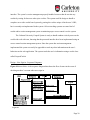
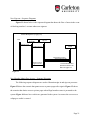
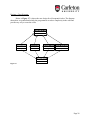
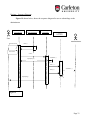
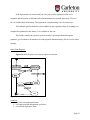
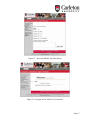
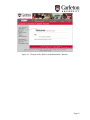
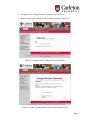
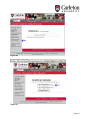
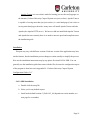
Every interface in the system should have a common look and feel so that the user can
recognize the layout of the system and identify it as the Carleton University Carpool System. A
common layout will allow the user to easily navigate the website and will aid the user in
understanding the location of all functions that could be used by the user. Every request of a user
to display an interface should go through this common layout. The Carleton University Carpool
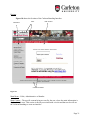
System uses the Carleton University Branding developed for websites of Carleton University.
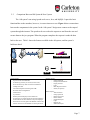
This is composed of pictures, titles, menus, navigation, contact information, search feature, and
main content.
As we developed the software we had edited the original branding to be able to maintain
the look with the new functionality created. When we decided to use the new Carleton University
Branding all interface were changed to use this layout, so that the web application allowed the
user to connect the system by common look and feel to Carleton University. When a user request
a interface the system creates a Carleton Branding object that is used to display the systems
information in an orderly fashion.
Carleton Branding has been successfully implemented into the system and is used by all
the code to display an interface with specific content. The menus developed for the Carleton
Branding are public, administrative and member menus. The menu displayed is dependent on the
interface being accessed and user’s access rights outlined in the session management section.
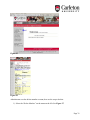
Carleton Branding is used in all forms of interfaces including errors interfaces, administrative
interfaces, member interfaces and public interfaces.
Page 29