1
Keyboard Commands
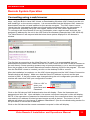
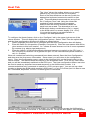
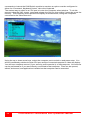
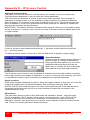
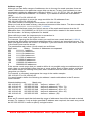
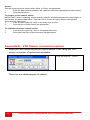
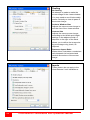
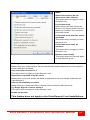
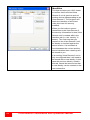
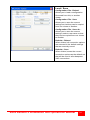
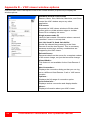
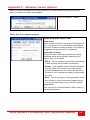
Keyboard commands can be used to further customize the KVM switch module. These
commands can be invoked directly from a local or remote keyboard or from the “Command,
Keyboard commands” tab on the VNC view toolbar. (To use the keyboard commands, you must
be connected via the VNC viewer, not the java applet)
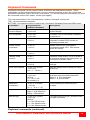
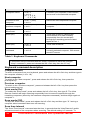
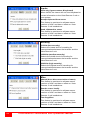
The commands listed in the “Key sequence / Hotkey Command” column are:
TOP - direct keyboard command /
BOTTOM - key sequence string to add to the “Command, Keyboard Command OSD menu”
Command
Key Sequence /
Description
HotKey Command*
Invoke the On
Screen Display
<Ctrl> F12
+-ctrl+-f12
Displays the KVM switch module’s onscreen display
List computers
<Ctrl> Esc
+-ctrl+-esc
Provides a list of connected computers
to connect to
Reset command
<Ctrl> R
+-ctrl+-r
Resets and enables mouse and
keyboard, enables PS/2 mouse on
currently selected port.
Reset mouse
command
<Ctrl> O
+-ctrl+-o
Sends reset mouse command to
currently selected CPU. Will recover
stuck NT mouse.
Send null byte
<Ctrl> N
+-ctrl+-n
Used to re-synchronize PS/2 mouse.
Identify ROM
version
<Ctrl> I
+-ctrl+-i
Identifies ROM version, CPU must be at
a command prompt, word processor, or
text editor to receive value.
Keep
<Ctrl> K
+-ctrl+-k
Saves current scan state and custom
settings.
Scan time interval
<Ctrl> Txx <Enter>
+-ctrl+-txx
(xx = 1 – 16 sec.)
Sets the pause time for each port when
scanning.
Mode command
<Ctrl> M x <Enter>
+-ctrl+-mx
Where:
x = 1,2,3,7,8,9
for modes 1-9
First select the CPU port to configure,
and then enter the mode command.
Mode 1, 2, 3 for keyboard:
Mode 7, 8, 9 for mouse
Maximum
computers
<Ctrl> P x <Enter>
+-ctrl+-px
(x = 1 – 4 or 1 – 8)
Limits scanning to maximum port
number
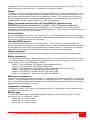
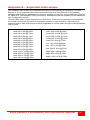
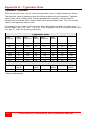
Typematic value
Factory setting = 43
Rate = 10.9 chars/sec
Delay = 500 millisec.
See Attachment H.
Mouse type
<Ctrl> Q x <Enter>
First select the CPU port, and then enter
+-ctrl+-qx
the type command
Where:
x = 0 for PS/2 mouse
x = 1 for Serial mouse
x = 2 for Wheel mouse
* See the “Controls” tab section for entering the hotkey commands
Keyboard commands (continued)
Vista Remote 2 Installation and Operations Manual
39