1
Contents
Contents
1
2
3
4
5
5.1
6
6.1
6.2
7
Introduction
Getting Started
Overview
Your VS-2DVA 2x1 DVI / XGA / Audio Switcher
Connecting the VS-2DVA 2x1 DVI / XGA / Audio Switcher
Connecting the Contact Closure Remote Control PINS
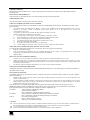
Operating the VS-2DVA 2x1 DVI / XGA / Audio Switcher
Switching DVI and XGA Signals Separately
Switching DVI and XGA Signals Together (Ganged)
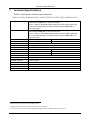
Technical Specifications
1
1
1
2
4
6
7
7
7
8
Figures
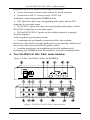
Figure 1: VS-2DVA 2x1 DVI / XGA / Audio Switcher
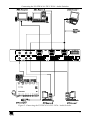
Figure 2: Connecting the VS-2DVA 2x1 DVI / XGA / Audio Switcher
Figure 3: Connecting the Contact Closure Remote Control PINS
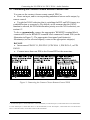
Figure 4: Initial Status of the SELECTOR Buttons
2
5
6
7
Tables
Table 1: Front Panel VS-2DVA 2x1 DVI / XGA / Audio Switcher Features
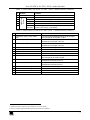
Table 2: Rear Panel VS-2DVA 2x1 DVI / XGA / Audio Switcher Features
Table 3: Technical Specifications of the VS-2DVA 2x1 DVI / XGA / Audio Switcher
3
3
8
i