1
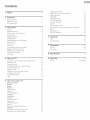
Contents
1
2
Notice
s
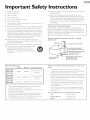
Important
7
Positioning the TV
Regulatory notices
Environmental care
7
7
7
Get started
8
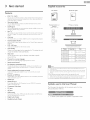
Features
SuppIied accessories
Symbols used in this User Manual
Stand assembly
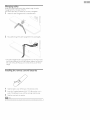
Altaching the base
Managing cables
Installing the remote
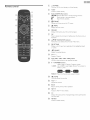
Remote control
control batteries
Control panel
Terminals
Connecting the antenna or the cable
Plugging in the AC power cord
Selecting your connection
Connecting
quality
your devices
Initial setup
4 Use your TV
Switching on your TV and putting it in Standby mode
Adjusting volume
Switching channels
Watching channels from an external device
Access the Home menu
Using auto mode
Create and use lists of favorite channels
Changing picture format
IV screen information
USB
8
8
8
9
9
I0
I0
I1
I2
I2
I3
I3
I4
I4
I8
2o
2o
2o
2o
21
21
22
22
23
23
24
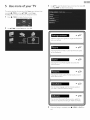
Use more of your TV
26
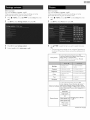
Settings
Picture
27
assistant
SouHd
27
29
Features
3O
Caption settings
3O
Sleeptimer
31
Childand ratingslock
31
Change PIN
_nstaHation
33
Language
Channel installation
33
Preferences
35
Use Phitips EasyLink
Netwod<
35
Return your settings to default values
Software
4O
Checking your current software version
40
Preparing for the software upgrade
40
33
34
37
@
Upgrading the software
41
Automatically check forlatest software
Netflix deactivation
41
41
Netflix
ESN
42
VUDU
deactivation
42
YouTube deactivation
42
Hulu Plus deactivation
42
License
42_
Philips Wiretessconnect
43
View photos, play music and watch videos using DLNA
Net IV
43
45
Enjoying vTuner
46
Pandora @ operations
48
6 Useful tips
49
FAQ
49
Troubleshooting
50
Information
S2
Glossary
Maintenance
52
52
8 Specifications
S3
7
9
Warranty
License
S4
end of book