1
Ultra Electronics Ltd
CONTENTS
CCC Declaration...................................................................................................................................... - 3 Safety Instructions.................................................................................................................................. - 3 Printer installation .................................................................................................................................. - 4 Unpacking ....................................................................................................................................... - 4 IMPORTANT – do not connect USB yet ......................................................................................... - 5 Printer location requirements: ......................................................................................................... - 5 Hopper & Stacker............................................................................................................................ - 6 Prepare the cleaning roller .............................................................................................................. - 6 Install the dye film ........................................................................................................................... - 7 Connect the power supply............................................................................................................... - 7 Load the Driver CD in to your PC ................................................................................................... - 8 Using your Enduro printer ..................................................................................................................... - 9 Printer parts..................................................................................................................................... - 9 Front display panel........................................................................................................................ - 10 Off button ...................................................................................................................................... - 10 Menu options................................................................................................................................. - 11 Cleaning the rollers ............................................................................................................. - 12 Test card.............................................................................................................................. - 12 Info....................................................................................................................................... - 12 Hand feed ............................................................................................................................ - 13 Advanced............................................................................................................................. - 14 Choosing the right dye-film ribbon..................................................................................................... - 15 Choosing the right cards ..................................................................................................................... - 16 Card material................................................................................................................................. - 16 Card size ....................................................................................................................................... - 16 Card thickness .............................................................................................................................. - 16 To obtain good quality prints the card must be: ............................................................................ - 16 Printable area of the card.............................................................................................................. - 16 Using Magnetic stripe cards.......................................................................................................... - 17 Using self-adhesive cards ............................................................................................................. - 17 Printer driver software (the ‘UltraDriver’) ........................................................................................... - 18 Installing the ‘UltraDriver’ .............................................................................................................. - 18 The printer driver settings ............................................................................................................. - 20 Uninstalling the UltraDriver ........................................................................................................... - 21 Caring for your printer.......................................................................................................................... - 22 Cleaning supplies.......................................................................................................................... - 23 Cleaning the printer rollers with the Cleaning Card ...................................................................... - 23 Replacing the cleaning roller......................................................................................................... - 24 Cleaning the printhead using the Cleaning Pen ........................................................................... - 25 Upgrading to double-sided:................................................................................................................. - 26 Available consumables ........................................................................................................................ - 27 Troubleshooting.................................................................................................................................... - 28 Warranty information............................................................................................................................ - 33 Contact us - Sales................................................................................................................................. - 33 Contact us - Support ............................................................................................................................ - 33 -
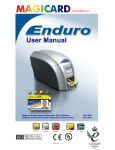
Magicard Enduro User Manual
-2-