1
DAY 3 & 4: ADVANCED
INTERFACING
gle quotes, for STRING enclose in double
quotes!
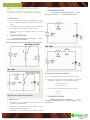
void setup() {
I. Serial Communications
Serial.begin(9600);
How it “talks” with your PC
}
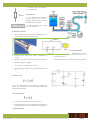
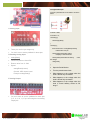
A. USB cable
void loop() {
B. PL2303 chip
Serial.println(“Hello World!”);
C. Serial pins
delay(1000);
}
D.
Poll the Serial line for incoming data
variable = Serial.available();
Returns the number of bytes to be read (int data
type)
IMPORTANT: leave the inside of the parenthesis BLANK!
E. Read the first byte of incoming data
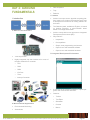
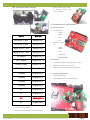
The Gizduino communicates serially
Serial = “one after another”
Stream of 1’s and 0’s
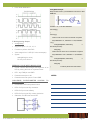
A. UART (Universal
Transmitter
Asynchronous
Receiver/
variable = Serial.read();
Need to store the read data inside a variable (int or
char data type)
IMPORTANT: data is read byte by byte or ONE
CHARACTER PER READ COMMAND, needs
extra processing if expected data are STRINGS
Main communications device employed on the
board
void setup() {
Accompanies the RS232 communications standard, made available to almost all electronic modules with a communications interface
}
Serial.begin(9600);
void loop() {
if (Serial.available() > 0) {
char ReceivedByte = Serial.read();
B. Initialize Serial communications
Serial.begin(<baud>);
Need to do this ONCE, usually first command in
setup();
The value <baud> specifies the baud rate to be
used (e.g. 9600, 38400, 115200, etc)
IMPORTANT: baud rates between communicating devices MUST MATCH!
Serial.print(ReceivedByte);
delay(10);
}
}
NOTES:
C. Pass data to the Serial port
Serial.println(<value>);
Can also use Serial.print();
Able to display any value or data, represented by
<value>
IMPORTANT: for CHAR enclose <value> in sin-
TRC 2014 TRAINING MANUAL — Created by ThinkLab exclusively for TRC 2014 only, this document cannot be reproduced or used for purposes other than TRC without prior consent
II.
Page 17