1
3
CONFIGURING INSTRUMENTS AND DOWNLOADING DATA
3.1 CONNECTION MODES
SvanPC++ supports USB and RS232 interfaces for direct communication.
Configuration of each interface is different.
More remote communication modes are supported as an optional feature,
available after purchasing the relevant SvanPC++ module (RC Module).
3.1.1 USB CONNECTION
Using the USB interface requires appropriate drivers being installed
(see Chapter 2.1.: USB Drivers Installation). SvanPC++ will automatically
detect instruments plugged-in by USB.
3.1.2 RS232 CONNECTION
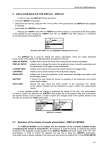
Configuration of RS232 interface can be done using the RS232 Settings
command from SVAN menu. This will activate the RS232 Settings dialog box.
It enables to configure the connection parameters and options.
Note: Baud Rate must be the same in the SvanPC++ application and in
the instrument.
After setting RS232 options press the OK button to save changes, Cancel to
discard changes or Default to set default values for each parameter.
When you attempt to connect a SVAN device to your computer via Bluetooth,
two new COM ports will appear. To successfully communicate with the
instrument, you have to select the output port.
3.1.3 ADDITIONAL CONNECTION MODES
To communicate with instruments using GPRS and Internet connection, you
have to purchase the SvanPC++ Remote Communication Module. Multiple
advanced tools for data acquisition are also provided with this module.
© SVANTEK
-6-
SvanPC++ User Manual