1
Inside VFX:
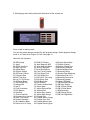
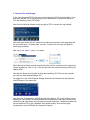
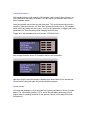
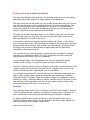
After licensing the „SonicProjects OP-X“ and „SonicProjects Stringer“ banks are ready
to be played and edited. Banks can be switched with the two buttons at the top, presets
with the two buttons below, marked yellow in the picture.
Mac Version of VFX:
Click on the white „X“ in the dock to bring the GUI of the plugin to the foreground if
necessary. Also check if „Show VST Editor“ is checked in vfx menu (see below).
Mac and PC Version of VFX:
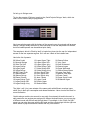
Be sure that „Show VST Editor“ is checked in the main menu which can be opened by
clicking on the white vfx icon at the top left.
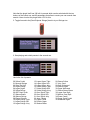
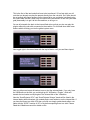
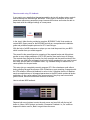
Banks (OP-X, Stringer) can be switched with the two buttons of the top row in VFX.
Presets can be switched with the two buttons of the second row (marked yellow in the
picture). Presets also can be remotely switched by MIDI program changes. For this you
before have to change program change mode from „Patch“ to „Preset“ in the main menu
(Menu:MIDI Options->ProgChange:Preset).
Apple: The free application „SoundFlower“ from Cycling74 lets you route the audio
stream to a sequencer of choice.