1
This switches the main power on and off in the amplifier. When you turn on the power, it will
have about 2 seconds delay to protect the speaker.
Do not leave the amplifier plugged into a power source for long periods of time when not in use.
27. LINE OUT
Can be used for driving a second amplifier.
28. TUNER OUT
Connect to instrument tuner. This output can also be used as an additional line out but is not
controlled by the volume control. Even when the volume control is turned down there will still
be a signal out.
OPERATION & POSITIONING
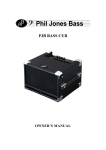
TURN THE VOLUME DOWN on the CUB II before plugging in your instrument.
Positioning the CUB II for Best Sound
It is recommended that you place the cub II on a solid object or the dedicated stand for best
sound and projection. Do not place on a high microphone stand as it will be unstable and
easily topple over.
TRANSPORTING AND STORING THE CUB II
When transporting in a vehicle, it is recommended that you use an external case such as a
custom flight case or heavy-duty cover to prevent it being damaged by falling over or other
objects falling on it. The Cub II is supplied with a padded carrying bag.
When Storing:
• Keep the CUB II in a dry location preferably at room temperature.
• Do not store the CUB II in temperatures below -20 Degrees C or above 40 Degrees C.
• Do not allow it to get wet. If this occurs, never turn it on in this condition.
• It is advisable not to leave the CUB II connected to a power source for long periods of time.
7