1
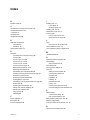
Contents
About This Book
5
Using VMware OVF Tool 7
About VMware OVF Tool 7
Features Highlights 7
OVF Standard 8
Benefits of OVF 8
VMware Platforms Using OVF 8
Space Requirements of OVF Packages 9
VMware OVF Tool Delta Disk Facilities 9
Supported Operating Systems 10
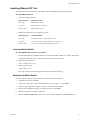
Installing VMware OVF Tool 11
Linux Installation Details 11
Windows Installation Details 11
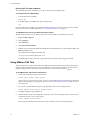
Running OVF Tool After Installation 12
Using VMware OVF Tool 12
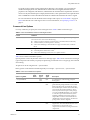
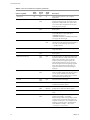
Command‐Line Options 13
Specifying a Locator 16
File Locators 16
HTTP, HTTPS, and FTP Locators 17
VI Locators 17
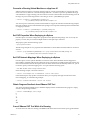
Specifying the Inventory Path to a Virtual Machine or vApp 18
Specifying the Inventory Path for a Cluster, Host, or Resource Pool
Partial Locators 18
Configuration Files 20
Examples of Using VMware OVF Tool Usage 20
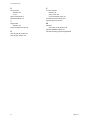
Convert a VMX to an OVF 20
Convert a VMX to an OVA 20
Convert an OVF to a VMX 20
Convert VMX to a VI 21
Deploy an OVF Package Directly on an ESX Host 21
Deploy an OVF Package and Power It On 21
Export a Running Virtual Machine or vApp from VI 21
Rename the OVF Package 21
Omit Disks in the VMware OVF Tool Output 21
Compress an OVF Package 21
Chunk or Split OVF Package Files 22
Validate an OVF 1.0 Descriptor 22
Download an OVF Package from a Protected Web Site 22
Use a Proxy 22
Overwrite a Running Virtual Machine or vApp from VI 23
Set OVF Properties When Deploying to vSphere 23
Set OVF Network Mappings When Deploying to vSphere 23
Obtain Progress Feedback from VMware OVF Tool 23
Cancel VMware OVF Tool While it Is Running 23
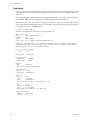
Probe Mode 24
VMware, Inc.
18
3