1
Installation Guide
Installation of the LNVRs (rack-mount)...................................................................28
Installation steps........................................................................................................................28
The front view...........................................................................................................................29
Install the HDDs........................................................................................................................30
Mounting the LNVR into the rack cabinet................................................................................31
Connecting to the network........................................................................................................31
Connecting the Logipix cameras and the Hybrid extenders to the LNVRs..............32
Connecting the power and power on......................................................................32
Checking LED information.......................................................................................34
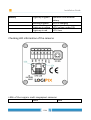
Checking LED information of the cameras..............................................................35
LEDs of the Logipix multi-megapixel cameras........................................................................35
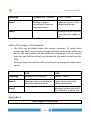
LEDs of the Logipix PTZ cameras...........................................................................................36
Appendix A...............................................................................................................36
Appendix B...............................................................................................................37
Installing the software................................................................................38
Installing the server.................................................................................................38
Hardware configuration............................................................................................................38
Before the installation...............................................................................................................38
Installation steps........................................................................................................................39
Installing the workstations......................................................................................40
Hardware configuration............................................................................................................40
Before the installation...............................................................................................................40
Installation steps........................................................................................................................41
Software configuration...............................................................................43
Activating special Stadium functions.......................................................................43
Registering the devices............................................................................................43
Traditional registration..............................................................................................................43
Automatic registration...............................................................................................................48
Configuring the devices...........................................................................................50
Auto Back Focus (ABF) setting................................................................................................50
Configuring the Logipix multi-megapixel cameras..................................................................52
Configuring the Logipix Full HD cameras...............................................................................53
Configuring the Logipix PTZ cameras.....................................................................................54
Configuring the analog cameras................................................................................................55
Configuring the analog PTZ cameras.......................................................................................56
Set the rest of the cameras as camera groups........................................................57
Download settings...................................................................................................59
Creating camera setup groups.................................................................................60
Creating Panorama cameras....................................................................................60
Defining the panorama cameras................................................................................................60
Creating Monitor Profiles........................................................................................61
3/80